


GMC Service
You need to make sure you are choosing the right service team if you want to make sure that your vehicle keeps performing at its best. We take pride in being able to provide you with professional maintenance and repairs. We love when your vehicle last its whole life and strive to help with that process.
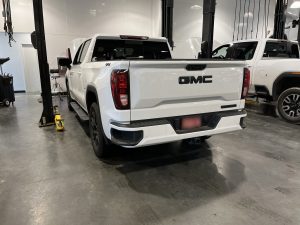
Certified Technicians You Can Trust
We have a service department full of GMC trained techs that specialize in every model. Whether your looking for a simple oil change, a more advanced diagnosis, or a recall, we have the team to keep you covered. Our team used genuine parts and the latest equipment for the best results.
Comprehensive Maintenance and Repairs
We offer a large array of service options. Some service options are, brake inspections, tire rotations, oil change, and much more. It’s important you stay on top of your scheduled maintenance to help improve your vehicles performance and longevity.
Convenience and Customer Care
There’s nothing more important than your valuable time. We offer hassle-free scheduling, efficient turnaround time, and a comfortable waiting area for your comfort while we work on you vehicle. We want to make your trip to the dealership simple and stress-free.
Schedule Your Service Today
Stop by Speck Buick GMC whether you need an oil change or a more in-depth repair. Our service center is here to help. You can feel confident leaving our dealership knowing your vehicle is taken care of properly. Make sure to check our service coupons to see what we have available.
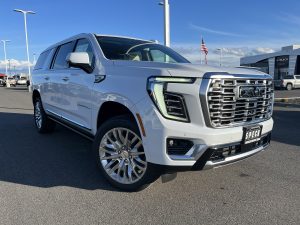
2026 GMC Yukon Denali
The 2026 GMC Yukon Denali is near the peak of GMC’s full-size SUV lineup, combining, comfort, power, and tech into one SUV. This SUV is perfect for the driver that wants the space, and capability of a large SUV without sacrificing upscale features, the GMC Denali continues to be a standout choice in its class.
Interior Comfort
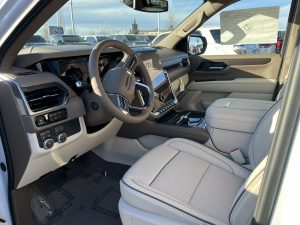
Inside the 2026 GMC Yukon Denali, you have roomy seating for 8 people and still have room for cargo space. The Denali trim includes an upgraded premium touch including leather seating surfaces, cooled seats, adaptive cruise control, and a modern infotainment system.
Powerful Performance
Under the hood of the Yukon is a 6.2-liter V8 engine that provides intense power with every acceleration. The engine has enough horsepower and torque to make towing, highway cruising, and even daily driving as easy as possible. Most Denali trims come with a 10-speed automatic transmission and available four-wheel drive.
Technology and Safety
The tech is a large portion of the Denali experience. This trims comes equipped with wireless charging and multiple USB ports. It is also equipped with a suite of safety features like, blind-spot monitoring, lane-keeping assist, and forward collision alert.
Final Thoughts
The 2026 GMC Yukon Denali is the perfect option if you are needing a SUV with a great interior, power, and modern tech. Made for the drivers who want capability and luxury in a single package. Visit us at Speck Buick GMC to see one in person, explore our current specials, and take one for a test drive.
Used Fords for Sale
Come explore our selection of used Fords for sale, we have a full line-up of used Fords to pick from. Ford builds touch trucks, versatile SUVs, and reliable cars that you can shop for at a great value. Even their pre-owned models continue to display a strong performance for everyday practicality.

A Wide Range of Options
One of the largest benefits to shopping used Ford models is the variety of options you get. From the great options such as the Ford Bronco, Ford Edge SUV, Ford Maverick, and Ford Escape SUV, Ford auto has a model for every type of driver. If you’re looking for something that has the towing capability, third-row seating, or a fuel-efficient commuter, Fords line-up has is all covered.
Capability and Reliability
Purchasing a used Ford would allow you to save significantly compared to buying new, all while providing dependable driving. Many Ford models can last longer with the proper care and maintenance, and can give you more confidence. Buying a pre-owned vehicle also provides the opportunity to shop for higher trims levels and premium features at a lower price point.

Final Thoughts
Here at Speck Buick GMC we have a full line-up of used Fords to offer. Explore our available used inventory to find a model that best fits your lifestyle and driving needs. We also offer used vehicle specials, so keep an eye out for the Ford you’ve been waiting for.
Speck Buick GMC Named A CARFAX Top-Rated Dealer
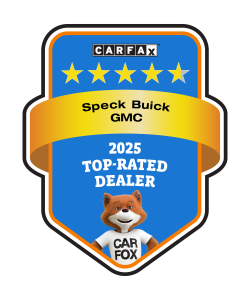
CARFAX Top-Rated Dealer Awards are Based on Verified Customer Ratings and Reviews
CARFAX is proud to announce Speck Buick GMC as a 2025 CARFAX Top-Rated Dealer! Every year, CARFAX honors dealerships across the nation for their exceptional service based on our verified customer ratings and reviews. The average rating for the 2025 CARFAX Top-Rated Dealers was an impressive 4.6 out of 5 stars based on verified consumer ratings.
We’re excited to celebrate dealers who truly raise the bar for their customers, said Gregg Cleary, Chief Revenue Officer at CARFAX. Powered by more than 10.6 million verified ratings and reviews, this recognition reflects real customer experiences and highlights dealerships built on trust and transparency. Our goal is to support consumers through their car journey, and a big part of that is connecting them with the most trusted dealers in the country.
This recognition is especially meaningful because it’s based on real customer reviews and experiences. It reflects our team’s commitment to providing exceptional service, transparency, and a car buying experience our customers can truly feel confident about. Thank you to everyone who has trusted Speck Buick GMC. We couldn’t have done it without you!
– Speck Buick GMC
Recognition for Speck Buick GMC as a 2025 CARFAX Top-Rated Dealer can be found on the CARFAX Vehicle History Reports that the dealership provides to its customers.
About CARFAX
CARFAX, part of S&P Global Mobility, helps millions of people every day confidently shop, buy, service and sell cars with innovative solutions powered by CARFAX? vehicle history information. The expert in vehicle history since 1984, CARFAX provides CARFAX Car Listings, CARFAX Car Care, and the flagship CARFAX Vehicle History Report to consumers and the automotive industry. CARFAX owns the world’s largest vehicle history database and is nationally recognized as a top workplace by The Washington Post. Shop, Buy, Service, Sell – Show me the CARFAX?.
S&P Global Mobility is a division of S&P Global (NYSE: SPGI). S&P Global is the world’s foremost provider of credit ratings, benchmarks, analytics, and workflow solutions in the global capital, commodity, and automotive markets.
Conclusion
We want to thank our customers again for helping us in becoming a Top-Rated CARFAX dealer again! We take pride in being open and transparent with all of our used cars and CARFAX is there to help us give you all the information and peace of mind knowing that the vehicle you choose is the right one for you!
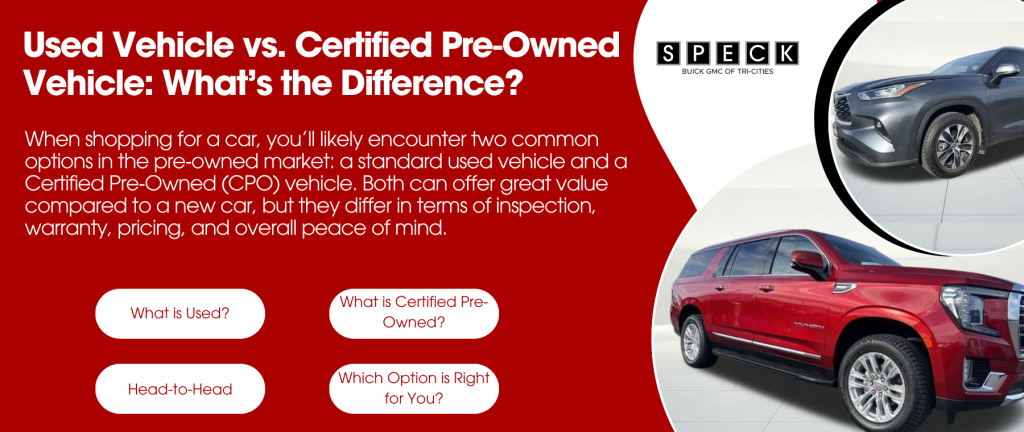
When shopping for a car, you’ll likely encounter two common options in the pre‑owned market: a standard used vehicle and a Certified Pre‑Owned (CPO) vehicle. Both can offer great value compared to a new car, but they differ in terms of inspection, warranty, pricing, and overall peace of mind. Understanding those differences helps you choose the right car for your needs and budget.
What Is a Used Vehicle?
A used vehicle is simply a car that has had a previous owner and is being resold. It could be just a few months old or several years old, depending on the individual car.
A standard used car typically:
- Does not come with a manufacturer‑backed warranty (unless still under original coverage).
- May have varying conditions and history, depending on how it was maintained by the previous owner(s).
- It is generally priced lower than CPO or new vehicles because it carries more uncertainty about future reliability.
Buying used can be a smart way to save money, but it’s important to:
- Review the vehicle history report (e.g., accidents, title status).
- Have a trusted mechanic inspect the car before purchase.
- Understand that repairs may be needed sooner than with a newer or CPO car.
What Is a Certified Pre‑Owned (CPO) Vehicle?
A Certified Pre‑Owned (CPO) vehicle is a type of used car that has been inspected, refurbished, and backed by the manufacturer or authorized dealer.
Key benefits of a CPO vehicle usually include:
- Multi‑point inspection: CPO programs require a detailed inspection (often 100+ points) to ensure the car meets strict quality standards.
- Extended warranty coverage: Most CPO cars come with additional warranty protection beyond the original factory warranty, sometimes covering powertrain, roadside assistance, and more.
- Reconditioning: Any necessary repairs or wear‑and‑tear issues are addressed before sale.
- Higher resale value: Because of documented condition and warranty backing, CPO cars often retain value better than standard used vehicles.
Because of these added assurances, CPO models generally cost more than comparable used cars that aren’t certified.
Head‑to‑Head: Used vs. CPO
Here’s how they compare in a few common buyer categories:
Price
- Standard Used: Most affordable option.
- CPO: Higher price due to inspection costs and warranty coverage.
Condition Assurance
- Standard Used: Varies widely; depends on previous care and inspection.
- CPO: Thoroughly inspected and refurbished to meet manufacturer standards.
Warranty & Peace of Mind
- Standard Used: May have remaining original warranty or none at all.
- CPO: Includes extended, manufacturer‑backed warranty and often roadside assistance.
Long‑Term Costs
- Standard Used: Potentially more unpredictable maintenance costs.
- CPO: Lower risk of surprise repairs thanks to warranty protections.
Which Option Is Right for You?
Choosing between a used vehicle and a CPO vehicle depends on your priorities:
- If budget is your top concern, a regular used car can give you the best upfront savings.
- If reliability and long‑term peace of mind matter most, a CPO vehicle is worth the extra cost because of its inspection standards and added warranty coverage.
- If you want a balance of value and security, look for a relatively new used car (low miles, good history) or a lower‑level CPO trim.
Conclusion
Both used vehicles and certified pre‑owned models offer value compared to buying new, but they serve different buyer needs. A standard used car can be a smart economical choice, while a CPO vehicle gives you added confidence with a rigorous inspection and extended warranties. Evaluate your budget, driving habits, and comfort with risk to decide which path fits your next car purchase best. If you’d like help comparing specific vehicles, a visit to Speck Buick GMC in Pasco Washington can provide detailed options in each category.
New 2026 GMC Sierra 1500 Interior Highlights
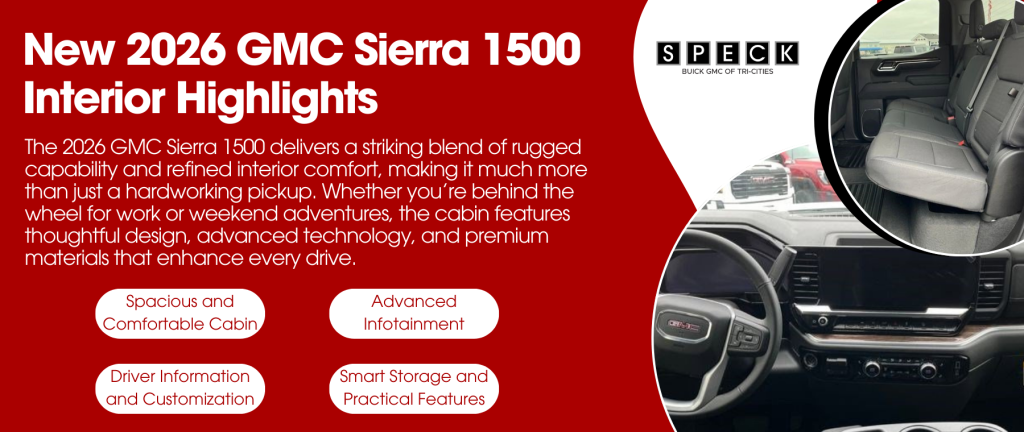
The 2026 GMC Sierra 1500 delivers a striking blend of rugged capability and refined interior comfort. Making it much more than just a hardworking pickup. Whether you’re behind the wheel for work or weekend adventures, the cabin features thoughtful design, advanced technology, and premium materials that enhance every drive.
Spacious and Comfortable Cabin
The Sierra 1500 features a roomy crew cab layout with generous headroom and legroom. Providing passengers plenty of space for long drives. Higher-trim models accent the interior with premium leather and contrast stitching. While even base versions offer solid comfort and thoughtful ergonomics.
Available heated and ventilated front seats help you stay comfortable in any season, and many trims include power-adjustable seating with lumbar support to make long hauls easier on your body. On select Sierra configurations, you can even get heated rear outboard seats to keep back-seat passengers happy.
Advanced Infotainment and Connectivity
Tech is a major highlight of the 2026 Sierra 1500 interior. Most trims come with a standard 7-inch color touchscreen that integrates Bluetooth connectivity and smartphone mirroring with Apple CarPlay® and Android Auto™.
Stepping up the trim lineup unlocks a 13.4-inch diagonal GMC Premium Infotainment System with Google built-in. Delivering an intuitive interface for navigation, music, and apps without relying on your phone. Wireless connectivity and Wi-Fi hotspot capability help keep everyone connected on the road.
Driver Information and Customization
The Sierra 1500 also offers configurable driver displays that can be tailored to show your choice of performance data, navigation info, and vehicle settings. Some trims feature a 12.3-inch driver information center that enhances situational awareness and personalization.
Additional interior conveniences, such as a heated, leather-wrapped steering wheel, dual-zone automatic climate control, and power tilt/telescoping steering column, make the cabin feel more like a premium SUV than a traditional work truck.
Smart Storage and Practical Features
Storage is more than an afterthought in the Sierra 1500. The cabin offers abundant solutions to keep essentials organized. Including upper and lower glove boxes, spacious center console compartments, and rear storage options in crew cab models. Higher trims and available packages add even more flexible storage solutions tailored for daily life.
Premium sound systems are also available, including multi-speaker Bose® audio setups that deliver rich sound for music, podcasts, and podcasts alike.
Conclusion
The 2026 GMC Sierra 1500 interior combines comfort, convenience, and tech to elevate the driving experience. From spacious seating and premium materials to advanced connectivity and smart storage, this pickup’s cabin is designed for both hard work and everyday enjoyment. Whether you choose a well-appointed premium trim or a more rugged configuration. The Sierra’s interior delivers versatility and comfort for your lifestyle. Come on over to Speck Buick GMC in Pasco Washington and check out the inside of a 2026 GMC Sierra 1500 for yourself!
New 2026 GMC SUV Line-Up
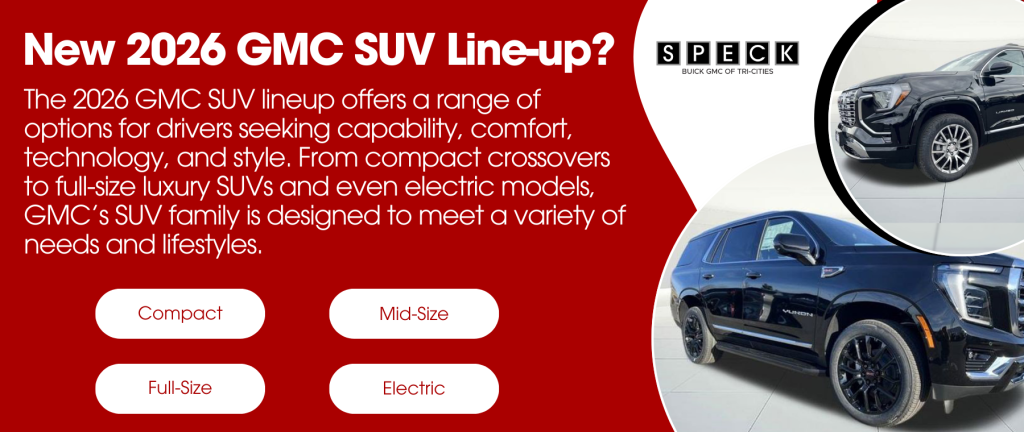
The 2026 GMC SUV lineup offers a range of options for drivers seeking capability, comfort, technology, and style. From compact crossovers to full-size luxury SUVs and even electric models, GMC’s SUV family is designed to meet a variety of needs and lifestyles. Whether you want something efficient for daily driving or powerful enough for family adventures. Here’s what you need to know about what’s available in 2026.
Compact SUVs: GMC Terrain
At the smaller end of the lineup is the 2026 GMC Terrain, a compact SUV that blends everyday practicality with modern tech and refined design. The Terrain features a spacious interior with smart storage, a large touchscreen infotainment system, and available options like a panoramic sunroof and off-road-ready AT4 trim for adventurous drivers. Its combination of comfort and capability makes it ideal for daily commutes or weekend escapes.
Mid-Size SUVs: GMC Acadia
Stepping up in size, the 2026 GMC Acadia serves as a versatile mid-size SUV with three rows of seating and plenty of cargo room. Recent updates include more interior space, modern technology features like Google-built-in infotainment, advanced driver assistance systems, and available Super Cruise hands-free driving on compatible roads. The lineup also introduces a new ultra-premium Denali Ultimate trim. Adding luxury touches such as massaging leather seats, a panoramic sunroof, and a performance suspension.
Full-Size SUVs: GMC Yukon & Yukon XL
For families or drivers who need maximum space and capability, 2026 GMC Yukon and Yukon XL models deliver. These full-size SUVs can seat up to eight passengers with available premium features. Including Super Cruise driver assistance, available Duramax turbo-diesel power, and advanced towing technologies. Whether you’re hauling gear, towing a trailer, or loading up for a road trip, the Yukon lineup blends power and refinement in large-SUV form.
Electric SUV Option: GMC Hummer EV SUV
GMC also offers a fully electric SUV option with the Hummer EV SUV, part of the broader Hummer EV family. This model brings zero-emissions driving to the SUV segment along with rugged capability and advanced tech features. Including Super Cruise hands-free driving and a bold, modern design, ideal for drivers looking to go electric without sacrificing capability.
What This Line-Up Means for Buyers
Across its SUV lineup, GMC offers something for nearly every type of driver. The Terrain is perfect for smaller households or city drivers, the Acadia suits families needing flexibility and space, the Yukon delivers full-size capability and luxury, and the Hummer EV SUV points toward an electrified future. Together, these models provide options for comfort, adventure, efficiency, and performance.
Conclusion
GMC’s 2026 SUV lineup showcases the brand’s commitment to offering a wide array of sport-utility vehicles, from efficient compact models to spacious full-size options and even electric alternatives. Whether you prioritize family-friendly versatility, top-tier luxury, or cutting-edge technology, there’s a GMC SUV to match your needs. Visit us at Speck Buick GMC to explore these models in person and find the right fit for your lifestyle.
What is MSRP?
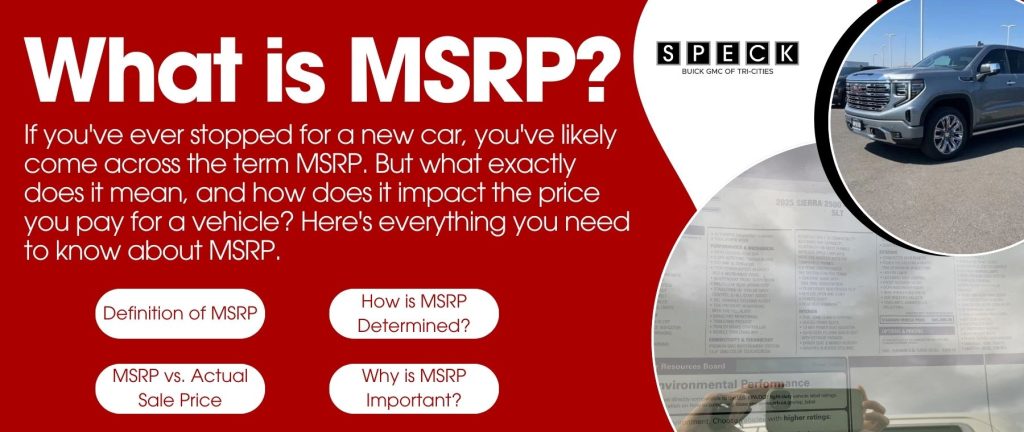
If you’ve ever stopped for a new car, you’ve likely come across the term MSRP. But what exactly does it mean, and how does it impact the price you pay for a vehicle? Here’s everything you need to know about MSRP.
1. Definition of MSRP
MSRP stands for Manufacturer’s Suggested Retail Price. It is the price that the automaker recommends a dealer charge for a new vehicle. However, this price is not always the final sale price.
2. How is MSRP Determined?
Automakers set the MSRP based on several factors, including:
- Production Costs: The cost of materials and manufacturing.
- Market Demand: Popular models may have higher MSRPs.
- Competitor Pricing: MSRP is often set to remain competitive.
- Features & Trim Levels: Higher trims and added features increase MSRP.
3. MSRP vs. Actual Sale Price
While MSRP provides a guideline, it’s important to know that the actual price you may differ:
- Dealer Markups: Some dealerships may charge more than MSRP for high-demand vehicles.
- Negotiations: Buyers can often negotiate a price lower than MSRP.
- Incentives & Discounts: Rebates, promotions, and trade-in offers can reduce the final cost.
4. Why is MSRP Important
Understanding MSRP can help you:
- Compare prices across different dealerships.
- Determine if you’re getting a fair deal.
- Negotiate effectively when purchasing a vehicle.
Final Thoughts
MSRP serves as a benchmark price, but it’s not set in stone. By researching, negotiating, and taking advantage of discounts, you can often secure a better deal than the sticker price. Visit our dealership today to explore our inventory and find the best pricing options for you!

When it comes to vehicle maintenance, car owners often face a choice between servicing their vehicle at a dealership like Speck Buick GMC or opting for an independent auto shop. Each option has its advantages and potential drawbacks, depending on your specific needs and preferences. Below, we explore the key differences to help you make an informed decision.
Benefits of Servicing at Speck Buick GMC
- Certified Technicians: Dealership mechanics are factory-trained and specialize in Buick and GMC models, ensuring expert care.
- OEM Parts: Speck Buick GMC uses original equipment manufacturer (OEM) parts, designed specifically for your vehicle.
- Advanced Diagnostic Tools: Dealerships have access to the latest diagnostic equipment and software updates from the manufacturer.
- Warranty and Recalls: If your vehicle is under warranty, servicing at a dealership ensures coverage for eligible repairs and software updates.
- Specialized Services: Dealerships offer services tailored to specific makes and models, including exclusive manufacturer-recommended maintenance plans.
Benefits of Using an Independent Auto Shops
- Lower Labor Costs: Independent mechanics often have lower hourly rates compared to dealerships.
- More Flexibility: Independent shops work on a variety of vehicle brands, making them a good option for multi-car households.
- Personalized Service: Many local mechanics build long-term relationships with customers, providing a more personalized experience.
- Aftermarket Parts Availability: Independent shops may offer both OEM and aftermarket parts, giving you more options for repairs and pricing.
Which Option is Right for You?
- If you drive a newer Buick or GMC and want manufacturer-certified care, a dealership like Speck Buick GMC is a great choice.
- If you’re looking for a more budget-friendly alternative for routine maintenance, an independent shop may better suit your needs.
- If your car is under warranty, dealership service ensures that covered repairs are handled properly.
Conclusion
Choosing between a dealership and an independent auto shop depends on factors such as cost, expertise, warranty coverage, and personal preference. Both options provide valuable services, so weighing the pros and cons will help you decide where to take your vehicle for maintenance and repairs. If you want certified service with factory-backed parts, consider scheduling your next appointment with Speck Buick GMC.
New 2025 GMC Sierra 1500 Trim Levels and Pricing
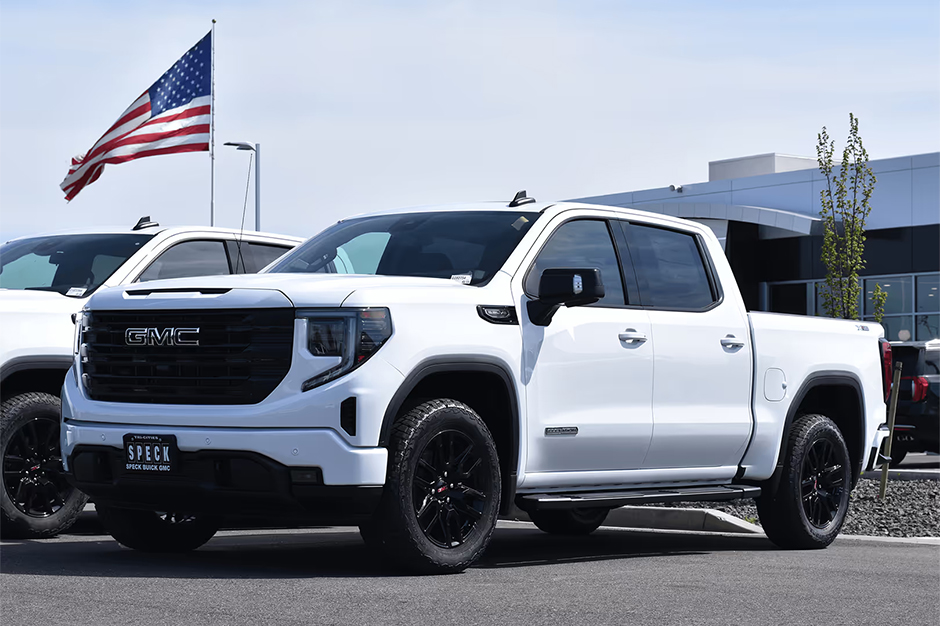
The 2025 GMC Sierra 1500 Continues to set the standard for power, capability, and luxury in the full-size truck segment. With multiple trim levels to choose from, the Sierra 1500 offers something for every driver, whether you’re looking for a workhorse or a premium pickup with advanced technology and comfort features.
Trim Levels and Key Features
The 2025 GMC Sierra 1500 is available in several trims, each designed to cater to different needs and preferences:
- Pro: The base model comes well-equipped with a powerful engine, durable interior materials, and essential technology, including a 7-inch touchscreen and Apple CarPlay®/Android Auto™ integration.
- SLE: Adds upgraded interior materials, a larger infotainment screen, and additional driver-assist feature.
- Elevation: Features a bold, sporty design with blacked-out exterior accents, LED lighting, and enhanced interior technology.
- SLT: Offers a more refined experience with premium seating materials, a larger digital driver display, and enhanced towing capabilities.
- AT4: Geared towards off-road enthusiasts with skid plates, all-terrain tires, an advanced suspension system, and an exclusive interior trim.
- Denali: The luxury-oriented trim with premium leather seating, advanced safety technology, and a signature chrome grille.
- Denali Ultimate: The top-tier Sierra 1500, featuring high-end materials, a Bose premium sound system, Super Cruise™ hands-free driving, and a high-performance powertrain option.

Pricing Overview
Pricing for the 2025 GMC Sierra 1500 varies based on trim level and optional packages:
- Pro: Starting at around $40,000
- SLE: Starting at around $48,000
- Elevation: Starting at around $52,000
- SLT: Starting at around $56,000
- AT4: Starting at around $65,000
- Denali: Starting at around $70,000
- Denali Ultimate: Starting at around $80,000
Conclusion
The 2025 GMC Sierra 1500 offers a range of trims to suit different needs, whether you’re looking for a rugged work truck, an off-road powerhouse, or a luxurious pickup. With its advanced technology, strong performance, and premium features, the Sierra 1500 continues to be a standout choice in the full-size truck market.
Connect with us

